In-Ear Monitor Buying Guide: What Actually Matters When You Go Silent
Wedges are loud, heavy and unforgiving. In-ears fix that — but only if you buy the right part of the system. Here's how the NXT Level Tech team sizes up in-ear monitoring for South African stages, studios and worship spaces.

There's a moment most bands hit eventually. The guitarist has crept up again, the drummer can't hear the click, the vocalist is straining, and the engineer out front is fighting a stage that's already louder than the PA. Turning things down never sticks. Someone always turns back up.
In-ear monitoring solves that argument by removing it. Instead of pushing sound across a stage and hoping it survives, you send each performer a dedicated mix straight to their ears. Stage volume drops, front-of-house gets clean, and everyone finally hears themselves properly.
The catch is that "in-ears" isn't one purchase. It's a chain — earpieces, a way of feeding them, and a way of mixing for them — and people routinely spend their whole budget on one link while ignoring the other two. This guide walks through the whole thing.
What an in-ear monitor actually is
Physically, an in-ear monitor is an earphone that seals inside your ear canal. That seal is the entire point. It does three jobs at once: it delivers your monitor mix, it blocks the noise around you, and it lets you hear detail at a far lower volume than a wedge ever could.
That last part is worth dwelling on. A performer wearing sealed in-ears is usually listening at a lower sound pressure level than the same performer standing in front of a wedge — because they're no longer competing with a drum kit two metres away. Over a career of Friday and Saturday nights, that difference matters. Hearing damage is cumulative and permanent, and stage musicians are one of the most exposed groups there is.
Consumer earphones look similar and are not the same thing. Most are voiced with boosted bass and scooped mids to flatter recorded music. That's actively unhelpful when you're trying to judge whether your vocal is sitting right. Monitoring earphones aim for a flatter, more honest response, use tougher cabling, and are built for a performer who sweats.
Four reasons bands make the switch
- The stage gets quiet. Once wedges are off, front-of-house is mixing your PA instead of fighting your stage. In small venues and church halls with hard surfaces, this single change can do more for the audience than any amount of EQ.
- Your mix follows you. Step off the riser, walk to the front, turn your back to the band — your monitor mix doesn't change. Wedges have one sweet spot and you're usually not standing in it.
- Every venue sounds the same. The room stops interfering with what you hear. A tight, dry church and a boomy function hall present you with an identical monitor mix, which makes performing far more consistent.
- It looks better. No wedges across the front of the stage, fewer cables, cleaner sightlines. For corporate work, weddings and anything on camera, this is a real selling point.
Wired or wireless?
This is the first genuine budget decision, and the honest answer is that plenty of very good musicians stay wired forever.
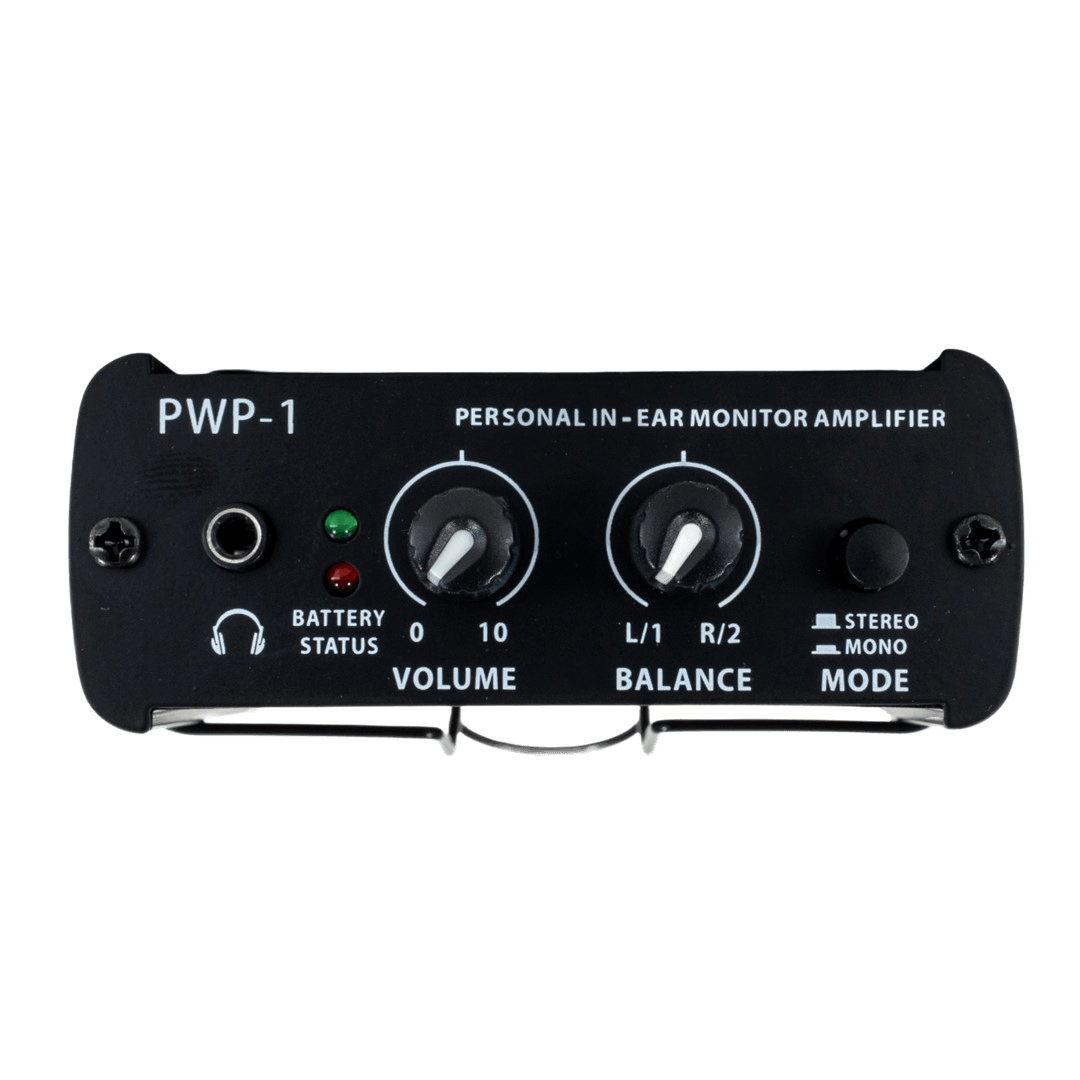
Wired means a headphone amp on your belt fed from an aux send, with a cable running to your position. It is dramatically cheaper, it never drops out, and there are no batteries to forget. Drummers, keys players and anyone who doesn't move should think hard before paying for wireless they'll never use. A personal amp like the PowerWorks PWP-1 puts volume control in the performer's hand without touching the desk.
Wireless buys mobility, and costs you a transmitter, a belt-pack receiver per person, batteries, and the discipline to manage radio frequencies. For frontline vocalists and anyone who works the stage, it's transformative. For everyone else it's an expensive convenience.
A common and sensible compromise: wireless for the two or three people who move, wired for the rest of the band.
South African frequency check — read this before you import
Wireless in-ear systems are radio transmitters, and the spectrum they use is regulated by ICASA. South Africa's digital migration reallocated a chunk of upper UHF to mobile network operators, which means secondhand or grey-import gear tuned to the old bands can be unusable — or a source of interference you cannot fix on the night.
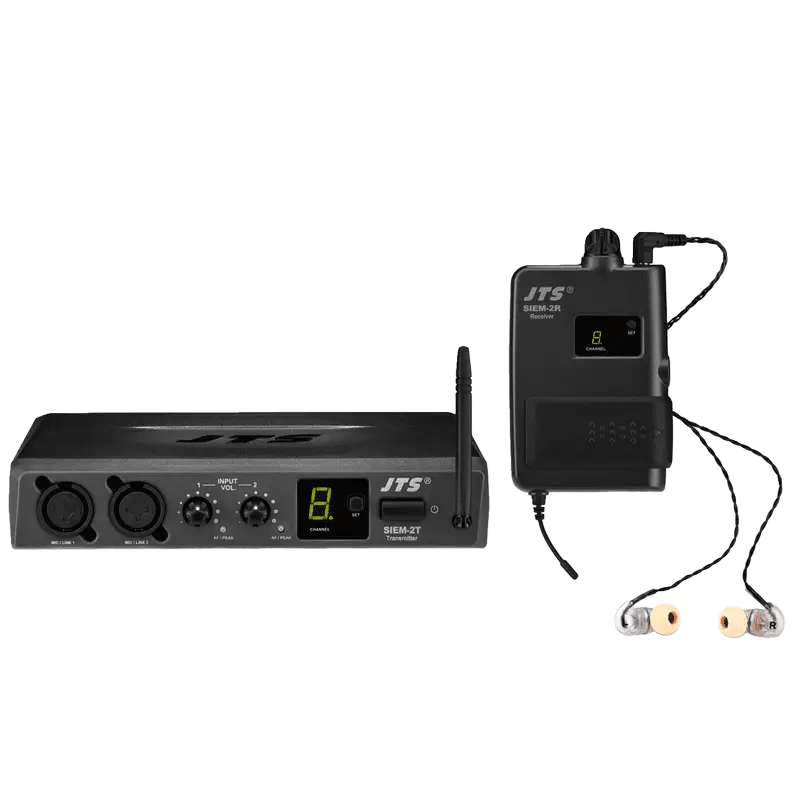
Systems sold locally are supplied in bands intended for South African use, which is the main reason to buy here rather than chance an overseas bargain. Broadly, you'll encounter UHF systems in the TV bands (the JTS SIEM-2 series sits at 518–542 MHz, for example), systems in the license-exempt band around 863–865 MHz, and 5.8 GHz systems which sidestep the TV bands entirely at the cost of shorter, more line-of-sight range. If you're running more than a couple of channels, or sharing a venue with other wireless users, talk to us before you buy — frequency co-ordination is much easier to get right up front than to debug at soundcheck.
Fit is the whole game
If you take one thing from this guide, take this: a poorly sealed in-ear sounds thin, weak and harsh, and no amount of EQ rescues it. Bass is the first casualty, because low frequencies leak out of a broken seal faster than anything else. Musicians experiencing this almost always blame the earphones and go shopping. The fix is usually a different eartip.
Cable routing: straight down or over the ear
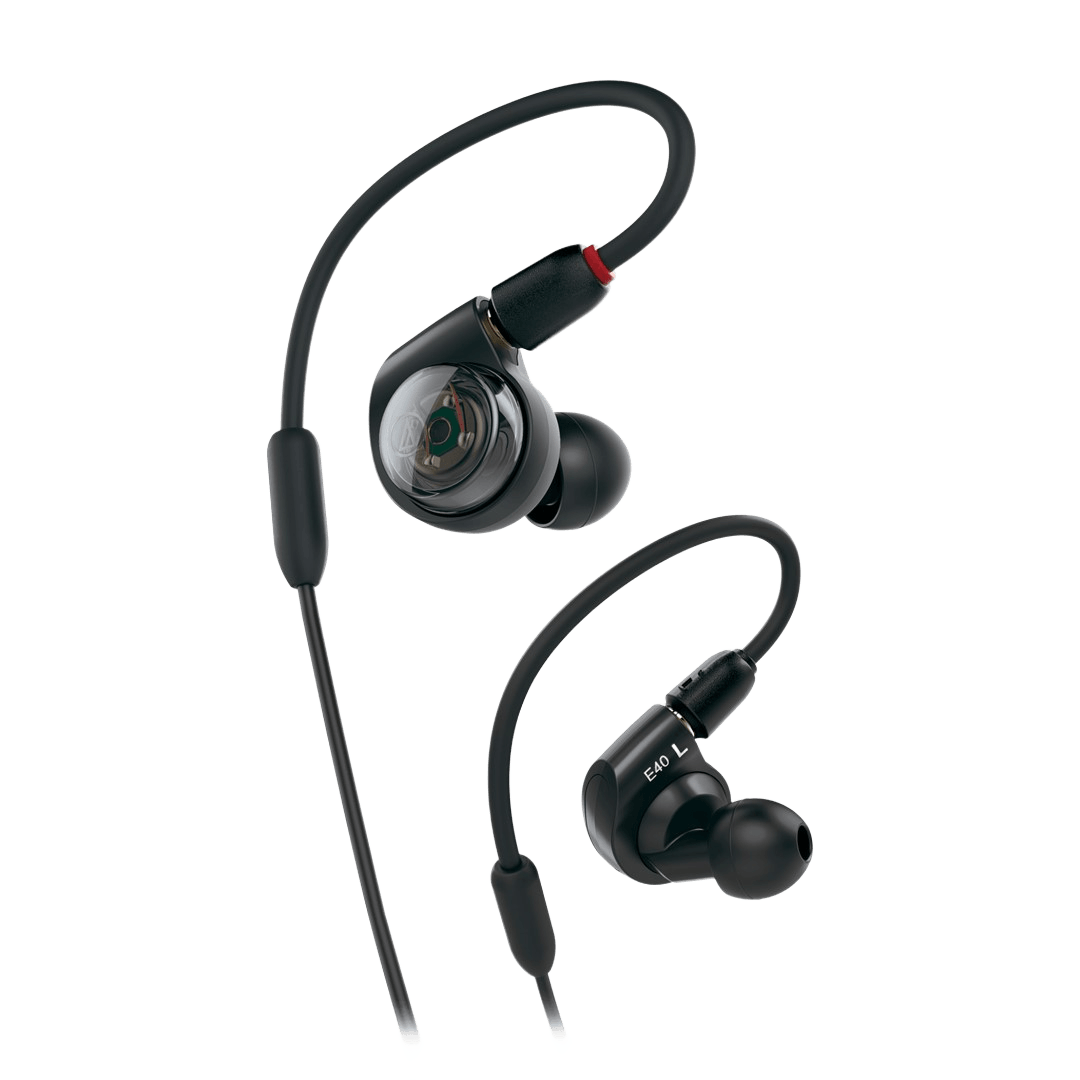
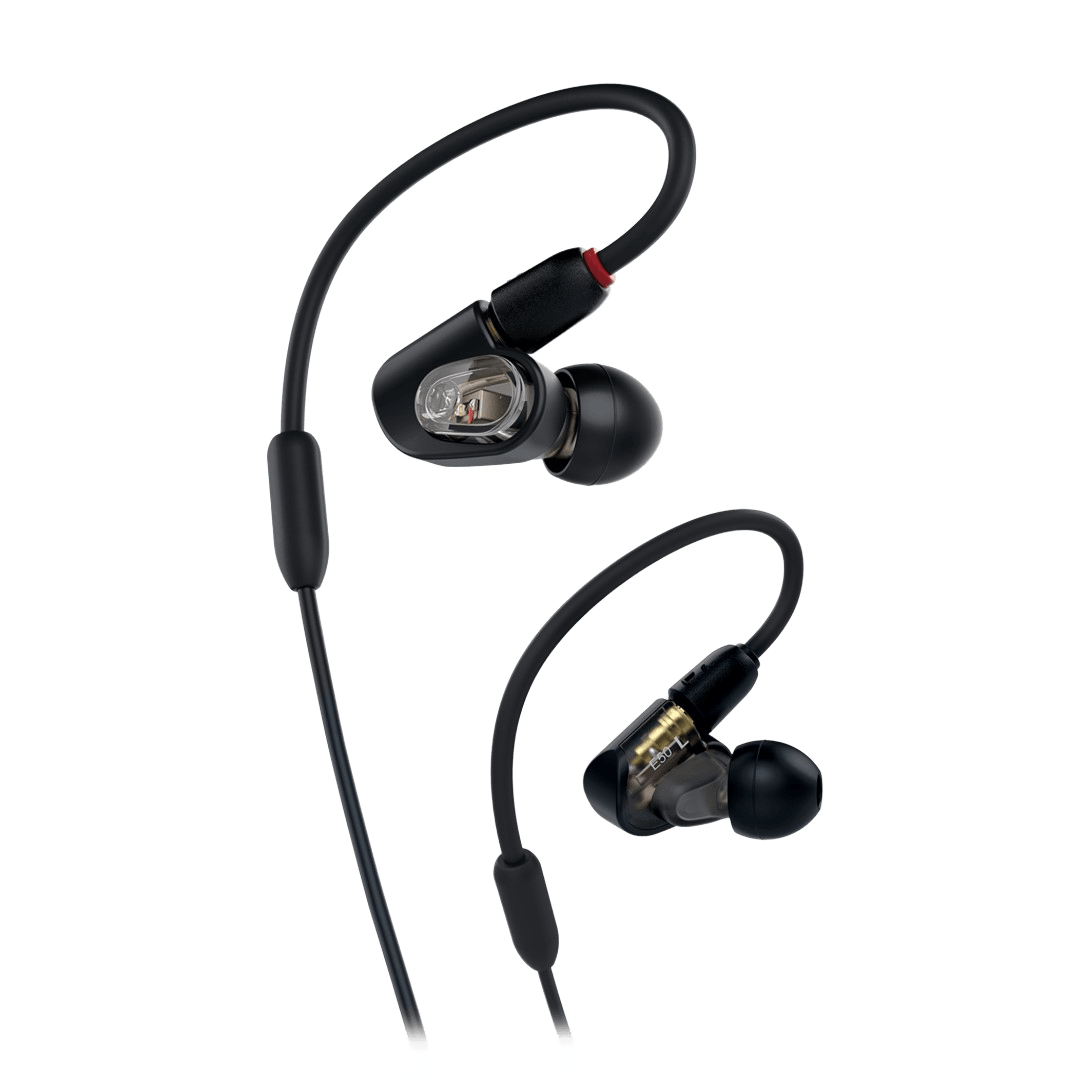
Straight-down cables are quick to put in and fine for rehearsal or studio use. Over-ear routing — where the cable loops up and behind your ear before dropping down your back — is what almost every working performer settles on. It anchors the earpiece mechanically, so head movement pulls on the loop rather than on the seal, and it dramatically reduces the rustling you get when a cable brushes clothing. It also keeps the cable out of shot. Most monitoring-specific models above entry level are shaped to be worn this way.
Eartips: silicone, foam, or both
Silicone tips are the ones that look like little rubber trumpets. They're durable, easy to clean, shrug off sweat, and go in and out quickly. Foam tips compress before you insert them and then expand to fill the canal, which generally gives better isolation and a more secure hold — at the cost of a pressure sensation some people never enjoy, and a shorter life.
Most decent in-ears ship with a selection of both in several sizes. Use them. Spend an evening at home cycling through every tip in the box, and be open to the possibility that your left and right ears want different sizes — that's common and completely normal. Treat tips as a consumable and keep spares in your gig bag.
How many drivers do you actually need?
Walk up the price list and the driver count climbs with it: one per ear, then two, then three or more. It's tempting to read that as a simple quality ladder. It isn't quite.
A single driver has to reproduce everything from kick drum to cymbal on its own. Good single-driver monitors exist and can sound remarkably coherent, because there's no crossover to introduce phase problems. What they run out of is low-end authority and headroom. A vocalist may never notice. A bass player or drummer usually will.
Add a second driver and a passive crossover splits the work — one handles lows and mids, the other takes the highs. The same principle as a two-way PA cabinet. In practice this is where bass firms up and hi-hats stop washing over the vocal. For most working musicians, this is the value sweet spot.
Three or more drivers with a three-way crossover gives each driver a narrower band still, and the result is more separation and detail across the whole range. Beyond three, manufacturers typically double up drivers within a band rather than adding new bands, which shares the load and buys headroom rather than reach.
The honest guidance: driver count only pays off once fit is sorted. A well-sealed two-driver monitor comfortably beats a badly sealed four-driver one, every time.
Universal or custom-moulded?
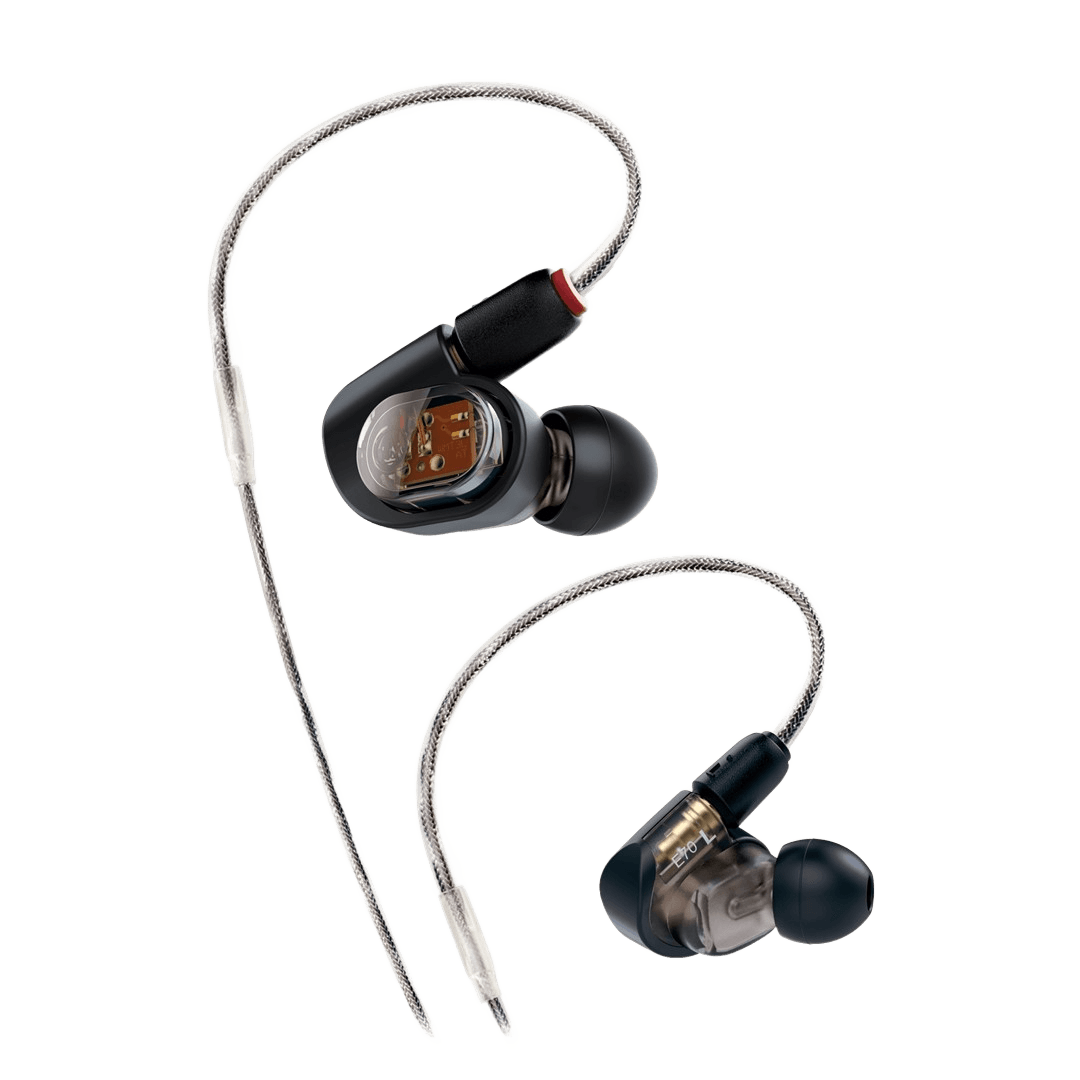
Universal-fit in-ears use interchangeable tips to adapt to whatever ears you happen to have. Custom-moulded in-ears are built from impressions of your actual ear canals, so the housing itself sits flush inside your outer ear.
The custom route in South Africa runs through an audiologist. You book an appointment, they take silicone impressions of both ears, and those impressions go to the manufacturer who builds the shells around them. Budget for the audiologist's fee on top of the monitors themselves, and for a wait of several weeks.
What you get back is worth it if you're wearing them a lot. Comfort over a three-hour set is in a different league. Isolation improves, because the seal no longer depends on a rubber tip alone. And because the drivers sit at a consistent, purpose-designed distance from your eardrum, the sound is more predictable than any universal fit can manage.
What you don't get is flexibility. Custom shells fit one person. They can't be lent to a stand-in, they can't be resold easily, and if your ears change — weight change, age, certain medical procedures — they may need remaking. Our standing advice: buy good universals first. If you're still wearing them three nights a week a year later, go custom then, and keep the universals as backups.
Feeding the system: where the mix comes from
None of this works without a source. Broadly there are three routes:
- Aux sends from the desk. The simplest approach — one aux per performer (or a stereo pair), mixed by the engineer. Fine for small bands, but it puts every "more me" request through one person during the show.
- Personal mixers. Each performer gets a small box that receives the individual channels and lets them build their own balance. Frees the engineer completely, and once musicians have tried it they rarely go back. Digital consoles increasingly carry a multichannel output for exactly this — StageConnect and similar interfaces distribute the channels down a single cable.
- Mixer app on a phone. Most modern digital desks let each performer control their own aux from their phone over Wi-Fi. Free, if you already own the desk. Just make sure the venue's Wi-Fi isn't shared with two hundred guests.
Mixing for in-ears is a different craft
This is the part bands underestimate. Handing everyone in-ears and sending them the old wedge mix produces an unhappy band, and it's why some groups try in-ears once and abandon them. A few things change:
- Everything needs to be in the mix now. With wedges, loud sources like drums and guitar amps arrive at the performer acoustically for free. Sealed in-ears block them. If it isn't miked or DI'd, nobody hears it — so channels you never bothered to mic before now need to be there.
- Add ambience. Full isolation feels like performing in a cupboard. A pair of condensers pointed at the audience, folded quietly into everyone's mix, restores the sense of being in a room with people. This one addition converts more sceptics than anything else.
- A little reverb helps. A completely dry vocal in a sealed ear is unnerving and encourages singers to push. A touch of reverb in the monitor feed — not necessarily out front — makes the whole thing feel natural.
- Go stereo if you can. Panning the band across a stereo image gives you separation you simply cannot get in mono, and lets everyone run lower overall volume.
- Protect the ears. Use a limiter on the in-ear feed. A dropped mic, a feedback squeal or a patching mistake goes straight into someone's ear canal at whatever level the system can produce. This is not optional.
- Expect an adjustment period. Give it three or four rehearsals before judging. Singers in particular need time to recalibrate pitch and effort when they no longer feel the room.
What to budget, in rands
A realistic view of what different levels of commitment cost, using gear we actually stock:
| Level | What you get | Typical spend |
|---|---|---|
| Trying it out | Wired earpieces plus a personal headphone amp on an aux send. Proves the concept before anyone spends real money. | R1 500 – R3 500 per person |
| Serious wired | Proper monitoring earphones such as the ATH-E40 or ATH-E50, over-ear routed, on a personal mixer or aux feed. | R2 500 – R5 000 per person |
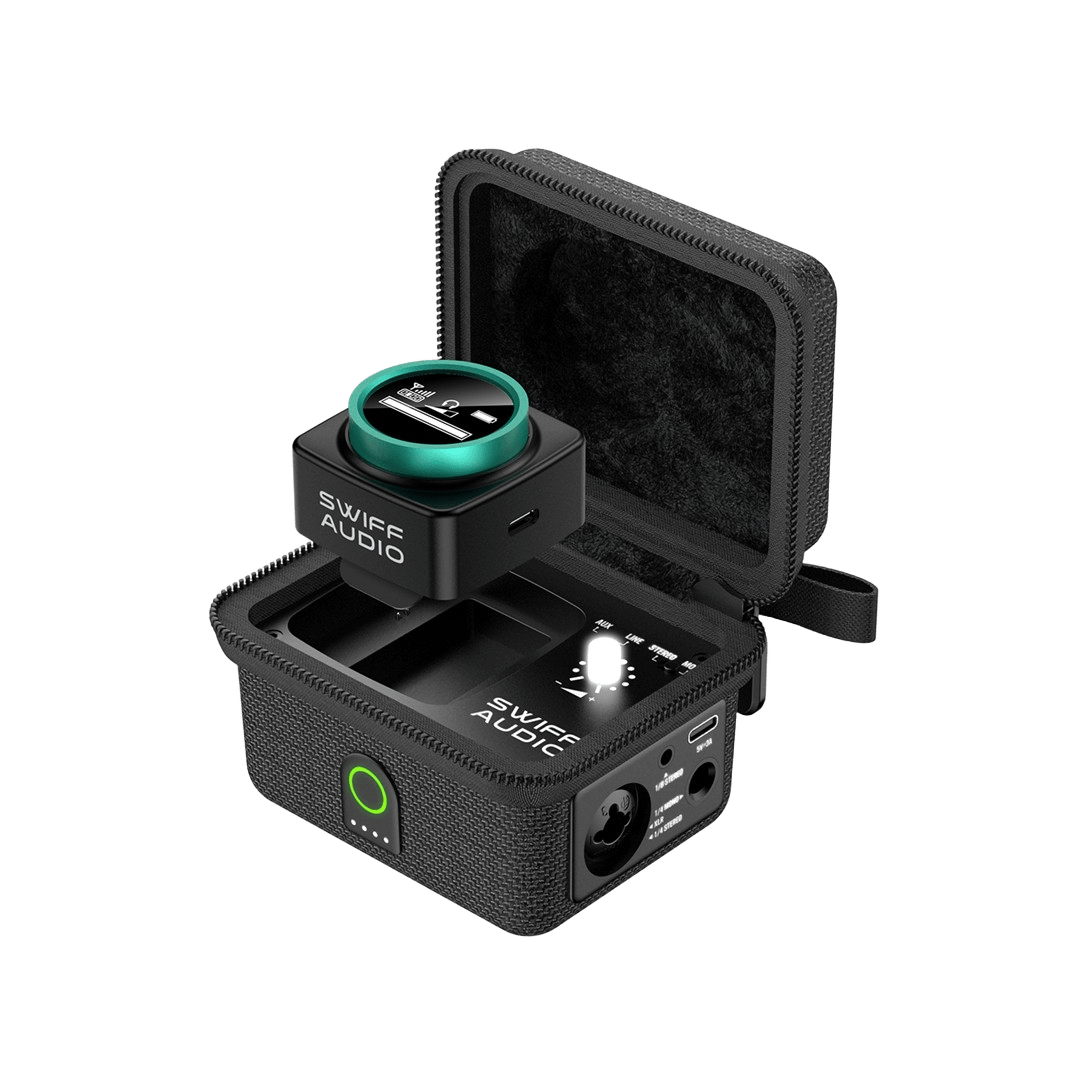
| Entry wireless | A complete transmitter-and-receiver system such as the Swiff WX-520 or Hybrid U-MV MKII, usually with basic earphones you'll want to upgrade. | R2 400 – R4 000 per channel |
| Working wireless | A rack-mount UHF system like the JTS SIEM-2 or SIEM-121, paired with monitors you chose deliberately. | R8 000 – R20 000 per channel |
| Custom | Multi-driver custom-moulded monitors, plus the audiologist's impression fee and a wait. | R15 000+ per person |
Prices are correct at time of publishing and include VAT. Check the product pages for current pricing and stock.
Five mistakes we see repeatedly
- Buying the wireless before the earpieces. The bundled earphones in budget systems are usually the weakest link. Many systems are sold as beltpack-only for exactly this reason — buy the link you'll actually listen through.
- Giving up in week one. The first rehearsal on in-ears always feels wrong. Sceptics who push through to rehearsal four rarely go back.
- Ignoring the seal. "These have no bass" is, nine times out of ten, a tip problem rather than a monitor problem.
- No limiter. One patching mistake at full level is all it takes. Put protection in the chain.
- Chasing a bargain on the wrong frequency. A grey-import system in a band that's been reallocated is worthless here. Buy locally supplied gear in the correct band.
Frequently asked
Can I just use my normal earphones?
For a first experiment, sure — it'll show you whether the concept works for your band. But consumer earphones are voiced to flatter music rather than to tell you the truth, they usually seal poorly under movement, and their cables aren't built for stage life. Treat them as a trial, not a solution.
Do I need one system per person?
You need one receiver per person, but not necessarily one transmitter. Several performers can share a single transmitter if they're happy with the same mix — a common setup for backing vocalists or a horn section. Extra receivers such as the Chord RX-IEM58 are sold separately for exactly this. If everyone wants their own balance, you need a transmitter each.
Is it safe to run only one earpiece in?
It's common, especially with singers who want to hear the room, but it works against you. With one ear exposed you'll push the other side louder to compete, which is the opposite of what in-ears are for. A better fix is an ambience mic feed so you can stay sealed on both sides.
Should I rent before I buy?
For a one-off show or a festival where you're unsure about frequency co-ordination, absolutely. It's also a sensible way for a band to try a full multi-channel setup before committing. Our rental desk can put a package together.
How long do in-ears last?
The earphones themselves can last years if you keep them clean and dry. Cables and eartips are the consumables — a detachable cable means a failed lead costs a fraction of a new set rather than the whole thing, which is worth prioritising when you compare models.
Not sure where to start?
Tell us the size of your band, how many people actually move on stage, and what desk you're running. We'll spec a monitoring setup that fits the room and the budget — and we'll tell you honestly where wired makes more sense than wireless.
Frequency allocations are regulated by ICASA and change over time. Confirm the current position for your band and use case before purchasing wireless equipment — we're happy to help you check. Pricing correct at time of publishing.